
From “Watch It Again” to Dinner: How an AI Recipe Generator From Video Builds a Real Recipe
You know the drill: your favorite cooking video is playing, your hands are covered in flour, and you’re pausing, rewinding, and pausing again just to catch what the amount of butter was. An AI recipe generator skips all of that — paste the video link, wait a few seconds, and it hands you a clean list of ingredients and numbered steps pulled straight out of the clip.

It genuinely works, and it’s worth understanding how, because knowing the mechanics tells you exactly where to trust the result and where to double-check it before you start cooking.
How an AI Recipe Generator Reads a Cooking Video
Turning a video into a written recipe isn’t one trick — it’s a short pipeline. The tool first has to hear what’s being said, then has to figure out which parts of that speech are actually ingredients or instructions and which parts are just chatter.
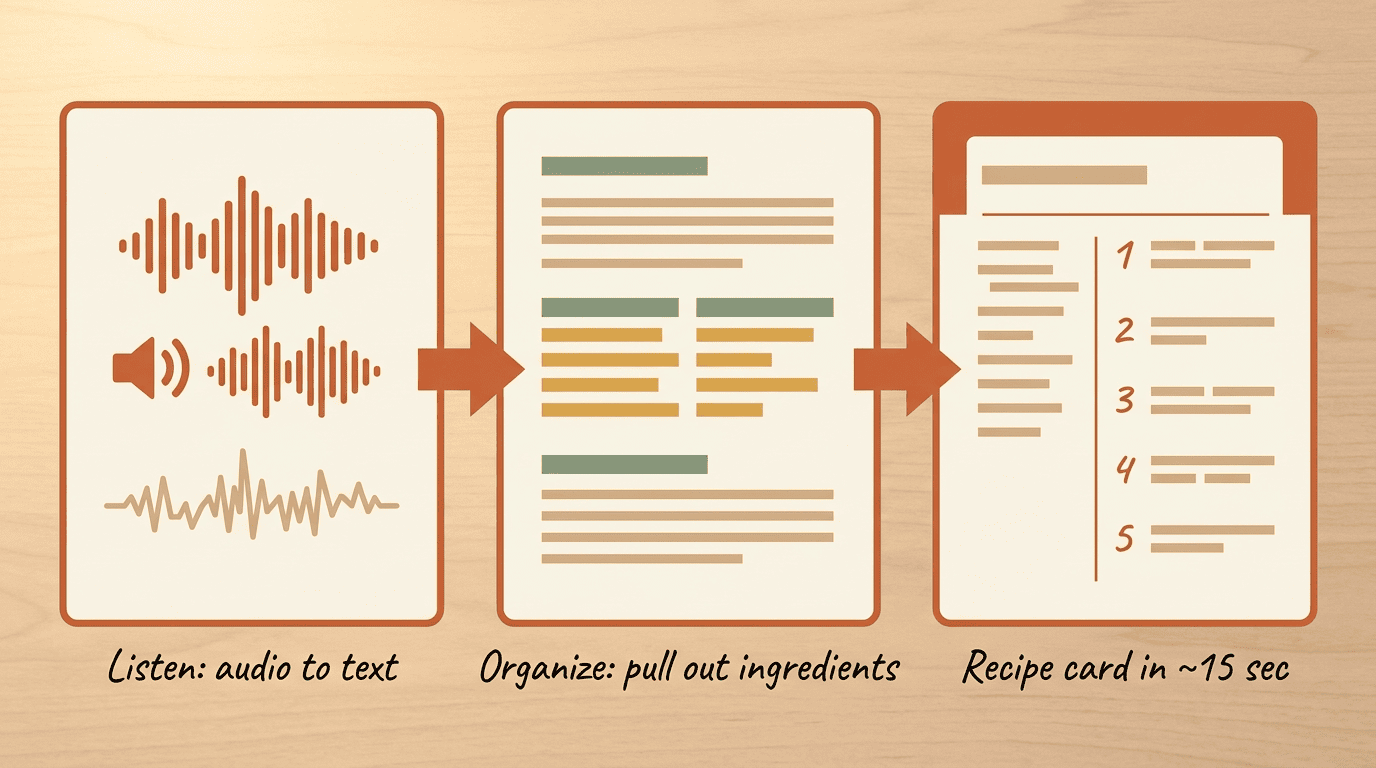
Step 1 — It listens: turning talk into text
The first step is speech-to-text. The AI listens to the audio track and writes down, word for word, what the cook is saying while they work. This is the same underlying technology that powers voice assistants and captioning tools: speech recognition “is a sub-field of computational linguistics concerned with methods and technologies that translate spoken language into text or other interpretable forms,” as Wikipedia describes it. Modern systems built on deep-learning transformer models are noticeably more accurate than the speech tools of a decade ago, especially with background kitchen noise. Even if a video has no captions at all, the generator still produces its own audio transcript from scratch.
Step 2 — It organizes: from a wall of words to a recipe
A raw transcript reads like a stream of consciousness — “okay so today we’re gonna start by grabbing a big bowl and, um, some flour, about two cups I think.” That’s not a recipe yet. The second step is summarization: a language model combs through the wall of text, pulls out ingredients, separates them from the cooking steps, and puts everything in order. This mirrors what’s known as automatic summarization — the process of shortening a set of data computationally to create a subset that represents the most important or relevant information within the original content, per Wikipedia. The whole pipeline, from pasted link to finished recipe card, typically takes somewhere around 10 to 15 seconds.
What the AI Actually “Sees” and “Hears”
A transcript alone can’t tell the whole story of a cooking video. Plenty of recipes lean on captions overlaid on screen, and just as many rely on the cook silently doing something — a pinch of salt, a quick drizzle — without ever saying it out loud.
Three channels: audio, on-screen text, and the visuals
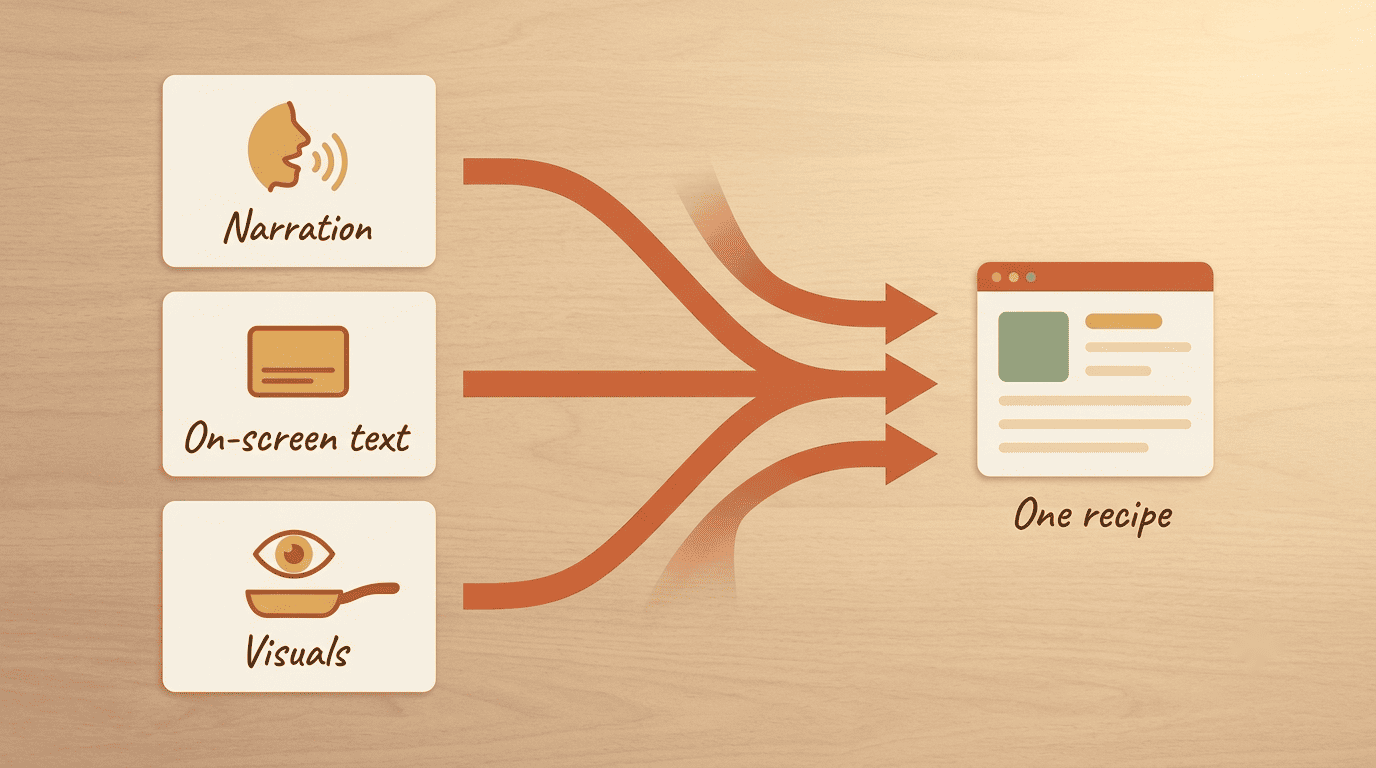
The strongest tools read three separate channels at once:
- Narration — what the cook says out loud while working.
- On-screen text — captions or pop-up ingredient lists baked into the video itself.
- Visuals — what’s actually happening in the frame, whether or not anyone mentions it.
Some extractors explicitly combine spoken instructions, captions, and on-screen ingredient lists into a single recipe card. Because of that layered approach, a recipe can still be assembled even when it was only ever spoken aloud and never written anywhere — no description box, no captions, nothing.
Where each channel shines — and fails
Audio catches quantities the cook says out loud, but it stumbles on strong accents, loud kitchen noise, and less common ingredient names, producing the occasional speech-recognition error. On-screen text is reliable when it exists, since it’s literally already written down. The visual channel catches the “silent” moves — that unnamed pinch of salt or extra glug of oil — but it can’t read the cook’s mind about exact amounts. The takeaway: the more channels a tool reads, the fuller the recipe, though none of them adds up to a perfect transcript of everything that happened in the kitchen.
What You Get: Inside an AI-Generated Recipe
Once the pipeline finishes, you’re not just looking at a block of text — you get an actual structured recipe card, similar to something you’d find in a cookbook or on a recipe blog.
The core: ingredients + steps + times
A solid extractor hands back an ingredient list with real measurements (cups, tablespoons, teaspoons), numbered steps in cooking order, a prep time and a cook time, and the number of servings the recipe makes. Some tools go further and attach nutrition information alongside the basics, giving you a rough sense of calories and macros per serving.
The nice extras: timestamps, scaling, shopping lists
Beyond the basics, a few extras separate the good tools from the great ones:
- Timestamps — each step links back to the exact moment in the video, so a single tap lets you rewatch a tricky technique instead of scrubbing the timeline yourself.
- Portion scaling — change the number of servings and every measurement recalculates automatically.
- Shopping lists — ingredients get grouped into a categorized list, sometimes with a rough price estimate, and some tools can merge several recipes into one combined list.
- Export options — many recipe cards can be sent straight to apps like Notion or Paprika, or saved as a PDF for printing.
| Feature | What it does | Why it’s useful |
|---|---|---|
| Timestamps | Links each step to its moment in the video | Rewatch a technique without scrubbing |
| Portion scaling | Recalculates quantities for new serving counts | Cook for 2 or for a crowd, same recipe |
| Shopping list | Groups ingredients into categories | Faster grocery run, less guessing |
| Nutrition info | Estimates calories and macros | Quick health check before you cook |
Accuracy and Its Limits: The “Splash and a Handful” Problem
None of this is magic, and it helps to know exactly how far to trust it.
How accurate is it, really?
For most clear, well-narrated cooking videos, these tools are genuinely very accurate — major errors are rare because the underlying models are trained heavily on cooking terminology and recipe structure. That said, accuracy still depends on audio quality and how precisely the cook states each measurement out loud. If you want to see this in action on your own favorite video, you can generate a recipe from a video and compare the result against what you remember hearing.
The real limit: vague, “cook’s-eye” measurements
The biggest limit isn’t the transcription or the summarization — it’s that cooks talk in approximations. “A splash of oil,” “a handful of cheese,” “season to taste,” “a good glug” — none of these are precise measurements, so there’s nothing exact for the AI to extract. When it hits language like this, the tool usually estimates a reasonable amount, tags it as “to taste,” or leaves it out rather than guessing wildly.
| What the cook said | What the AI understood | What to double-check yourself |
|---|---|---|
| “A splash of olive oil” | ~1 tablespoon (estimate) | Taste and adjust as you pour |
| “A handful of cheese” | ~1/2 cup (estimate) | Depends on how tightly you grab it |
| “Season to taste” | Salt/pepper, unspecified | Start light, add gradually |
| “A good glug of wine” | ~2-3 tablespoons (estimate) | Adjust to your own palate |
Treat these flagged lines as a starting point rather than gospel — taste as you go and adjust, exactly the way the original cook probably did.
Which Videos and Platforms Work
Before pasting a link, it’s worth knowing what a given tool can actually handle.
From YouTube to TikTok Reels
Most generators accept links from a wide range of platforms:
- YouTube — standard uploads, youtu.be short links, and Shorts.
- TikTok and Instagram Reels.
- Facebook and Pinterest.
- Newer platforms like RedNote.
A 20-minute chef tutorial and a 30-second TikTok clip both work through the same pipeline — length just changes how much there is to transcribe and summarize.
Free tiers and length limits
Here’s a step-by-step way to check whether a tool will actually work for the video you have in mind:
- Copy the video link from YouTube, TikTok, Instagram, or wherever it’s hosted.
- Check the video’s length against the tool’s stated limit — some free tiers cap out around 5 to 10 minutes.
- Check your monthly quota — several free plans allow only a handful of recipes per month, or even just one extraction without an account.
- Paste the link into the generator and let the pipeline run.
- Review the ingredient list against what you remember hearing or seeing in the video.
- Scan the instructions for order and completeness before committing to cook.
- Save or export the recipe card once it looks right.
Realistically, plenty of tools are free to start but limited in scope — some cap free use around three recipes a month and work best on videos under roughly ten minutes, while others offer a single free extraction with no account required at all. Long, chatty videos with a lot of side conversation tend to be harder to extract cleanly than a tight, focused tutorial.
Before You Cook: A Friendly Food-Safety Check
This part isn’t about the AI being untrustworthy — it’s just good kitchen sense, the same way you’d double-check a recipe from any stranger on the internet.
The AI copies the video — even if the video is wrong
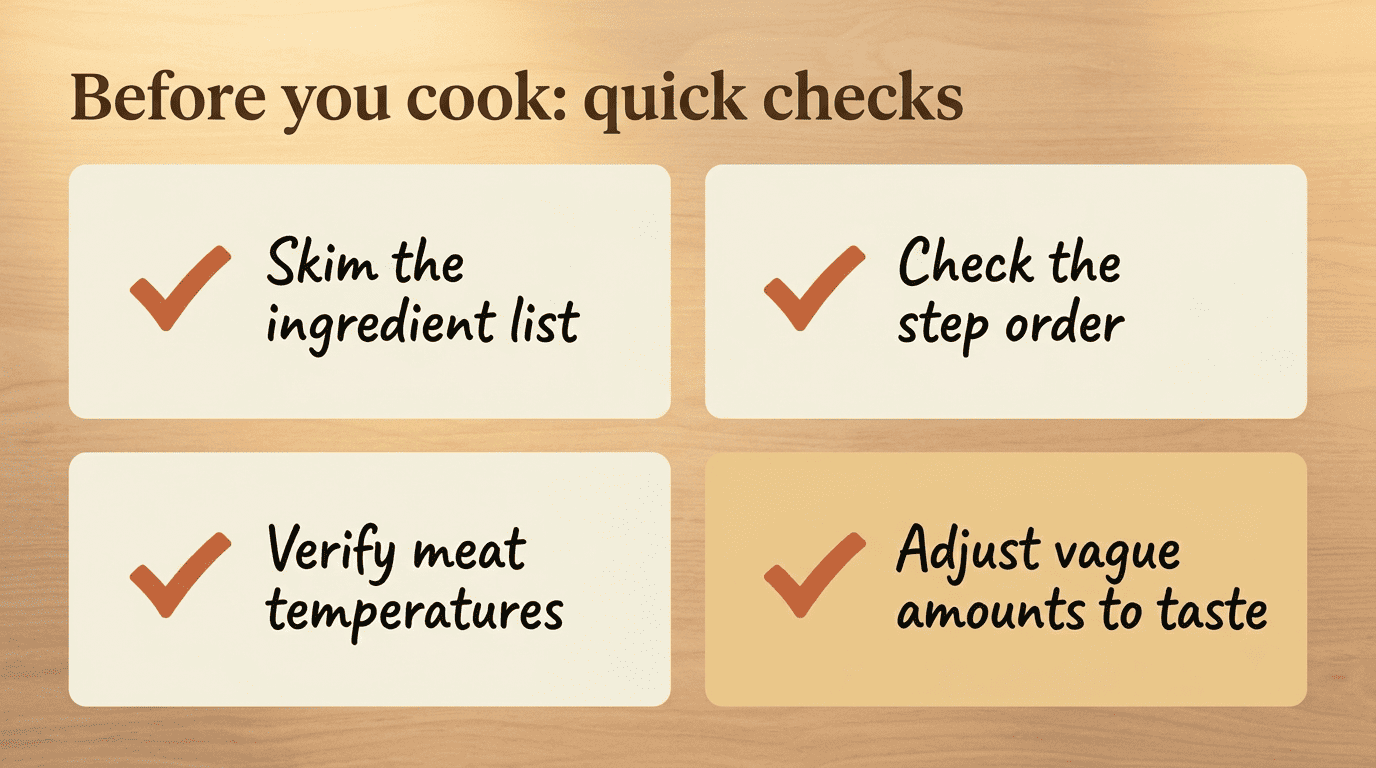
The AI repeats what it heard; it doesn’t fact-check whether that’s actually safe. A video creator might state a temperature that’s too low or a cook time that’s too short, whether by mistake or by habit. This matters most for chicken, ground meat, pork, and eggs — foods where undercooking carries real risk. Before you serve anything, it’s worth comparing the temperatures and times in your AI-generated recipe against the official guidance at FoodSafety.gov. As a quick mental anchor: poultry should reach 165°F, ground meats 160°F, and whole cuts like steaks or roasts 145°F followed by a few minutes of rest — but check the full chart for anything that doesn’t fit neatly into those three buckets.
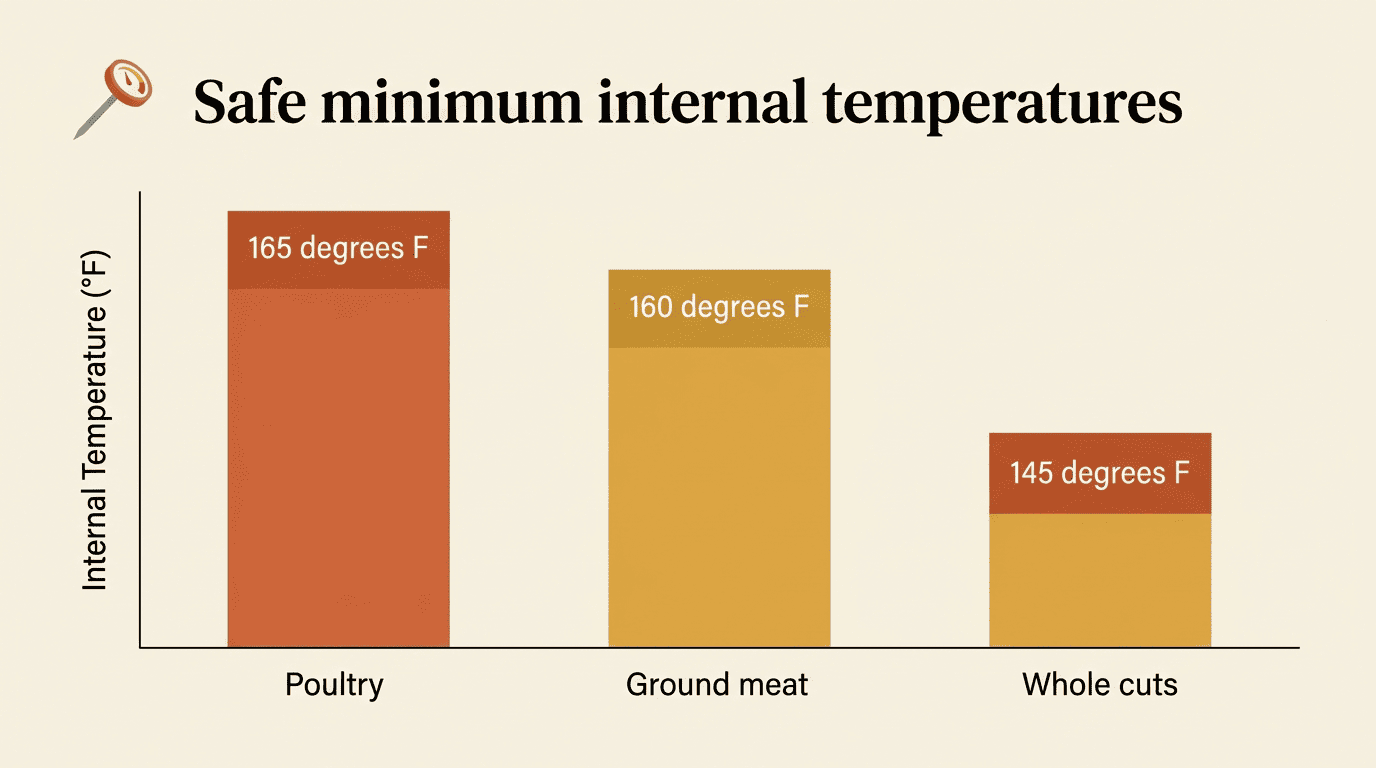
USDA guidance is consistent on this: a food thermometer, not color or appearance, is the reliable way to confirm meat and poultry have hit a safe temperature — a good habit no matter where the recipe came from.
Make it yours — and healthier
Once a recipe exists in text form, it’s easy to tweak: dial back the salt, swap an ingredient you don’t love, or rescale portions for a smaller household. If you’re aiming for a lighter version, the Harvard T.H. Chan School of Public Health’s Nutrition Source is a solid, friendly reference for healthier swaps and portion guidance. Think of the AI’s output as a first draft — your kitchen, your rules.
Turn Your Next Cooking Video Into Dinner
An AI recipe generator from video saves you the endless pause-rewind-pause cycle and turns a five-minute burst of inspiration into an actual plan for dinner. It reads the audio, the on-screen text, and the visuals, then hands back ingredients and steps in a tidy card — but vague measurements and food-safety checks are still yours to handle before anything hits the pan. Next time a recipe video catches your eye, try running it through an AI recipe generator from video and see how close the draft gets you to dinner.