
AI Meal Planner: Plan a Whole Week of Meals With an AI Recipe Generator
Deciding what’s for dinner seven nights in a row is exhausting. An AI meal planner turns that weekly scramble into a few minutes: describe your household, your tastes, and your budget, and an AI recipe generator hands back a full week of meals plus a grocery list, the way meal preparation has always worked, just compressed into a single conversation.

This guide walks through what you’ll get from the process: a 7-day plan, a grocery list sorted by store aisle, portions sized to your household, a plan that fits your budget, and a meal-prep routine that keeps leftovers safe and food waste low.
What an AI meal planner actually does
An AI meal planner takes your household’s preferences and turns them into a finished weekly menu — recipes, ingredient list, and portions included. It’s less like browsing a recipe site and more like handing the whole Sunday-night planning chore to an assistant that already knows what you like.
From “what’s for dinner?” to a finished week
The AI takes your inputs — who’s eating, dietary pattern, ingredients you don’t like, how much time you have to cook, and your budget — and assembles a 7-day plan in roughly 30 to 60 seconds. That speed matters: households spend several hours a week on cooking alone, and deciding what to make in the first place — the planning phase — tends to eat up a meaningful share of that on top of the time at the stove. An AI meal plan generator collapses the planning part down to a couple of minutes, leaving the actual cooking time untouched.
Plan, recipes, and list in one pass
An AI meal planner isn’t just a stack of recipes — it connects the plan to the recipes, the recipes to a grocery list, and the list to your household’s portions, all in one pass. That matters because a big share of home cooks say they get tired of eating the same handful of dinners on rotation and wish for more variety. A smart meal planner can vary the week automatically instead of defaulting to the same rotation every time, while an automated meal planning tool still keeps everything — plan, recipes, list — in sync when you make a change.
How to generate a week of meals with AI (step by step)
Getting a useful week out of an AI recipe generator comes down to giving it the right inputs, then refining. Here’s the sequence that produces a plan you’ll actually cook.
- Tell the AI who you’re cooking for — household size, dietary pattern, allergies, dislikes, cooking skill, and time per meal.
- Set your goals — target calories or macros, and how much variety you want across the week.
- Generate the first draft of the weekly meal plan.
- Refine dinner by dinner — swap out anything that doesn’t fit, request one-pan versions, or ask it to use up ingredients you already have.
- Lock in the plan once every day looks realistic for your week.
- Export the grocery list grouped by aisle before you shop.
- Adjust portions if your household size changed since the last plan.
Step 1 — Tell the AI who you’re cooking for
The output only gets as specific as the input, so it helps to hand over:
- Household size and who’s eating (adults, kids, ages if portions matter)
- Dietary pattern — omnivore, vegetarian, vegan, or pescatarian
- Allergies and things to avoid, such as nuts, shellfish, or dairy
- Dislikes and ingredients you’d rather skip
- Cooking skill level, from beginner to confident
- Time available per meal on a typical weeknight
The more specific the input, the fewer edits the plan needs afterward — a vague prompt gets a generic plan back, a detailed one gets something close to what you’d actually cook.
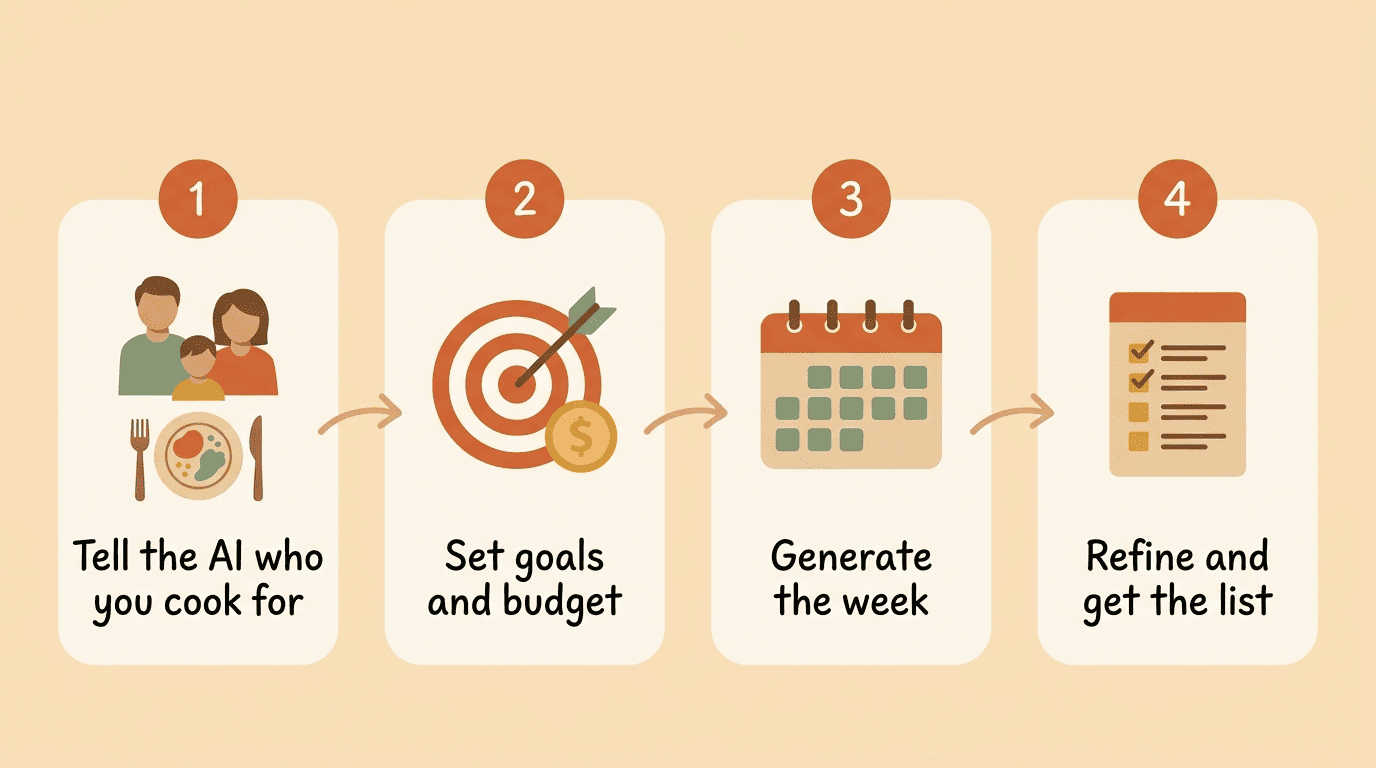
Step 2 — Set goals: calories, macros, variety
Decide whether the goal is losing weight, maintaining, or building muscle, then give the AI a rough calorie or macro target. These figures are estimates meant to guide meal composition, not a medical calculation — anyone managing a health condition should confirm numbers with a doctor or registered dietitian before relying on them.
Step 3 — Generate, then refine
Once the first draft comes back, refine it the way you’d edit a document: “swap Tuesday’s dinner,” “make Thursday a one-pan meal,” or “use up the spinach before it wilts.” A single click typically replaces a dish without breaking the rest of the plan, dietary restrictions and dietary needs included, so you’re never rebuilding the whole week from scratch over one bad Tuesday.
Turn the plan into a smart grocery list
Once the week is set, the AI meal planner converts every recipe’s ingredients into one shopping list — no manual tallying required.
Grouped by store aisle, deduped
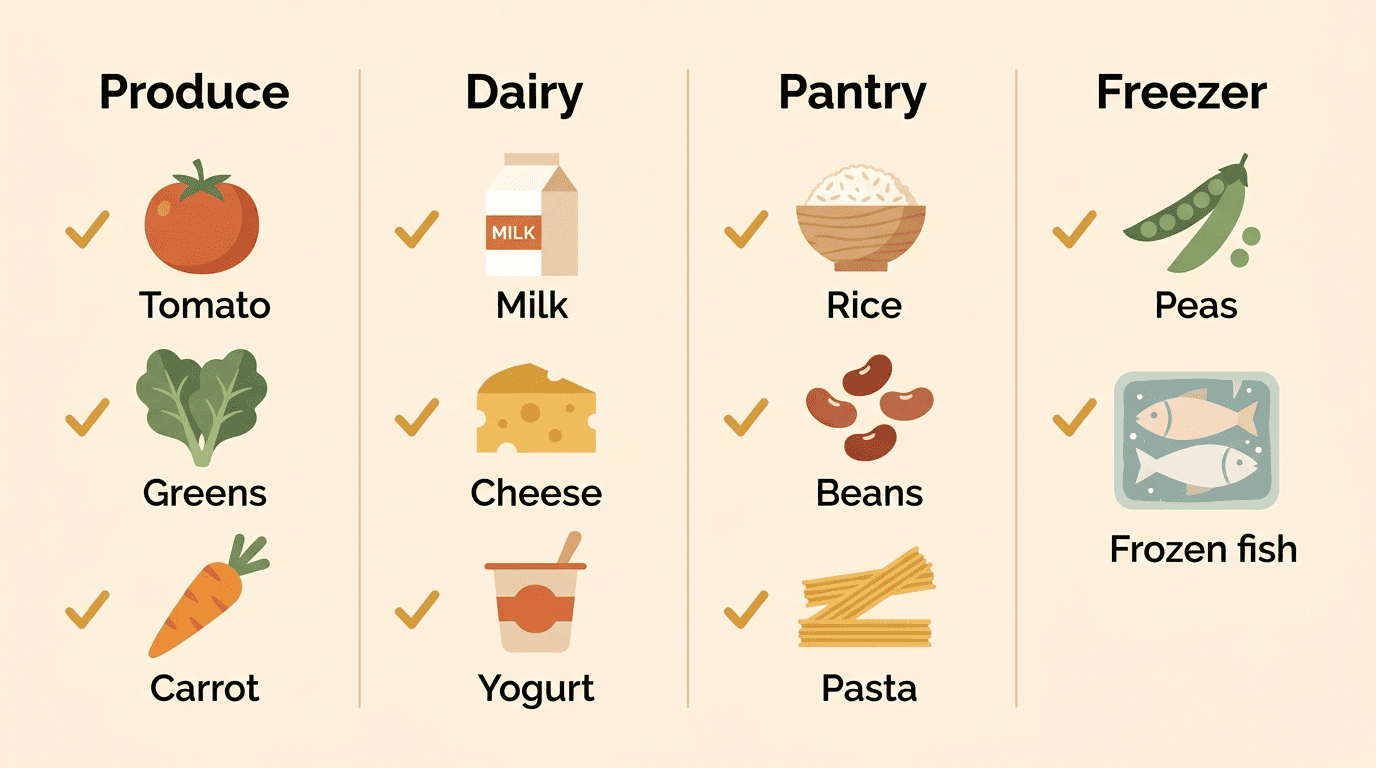
The AI pulls ingredients from every recipe in the week, removes duplicates, adds up quantities that repeat across meals, and groups everything by store section:
- Produce
- Dairy
- Pantry / dry goods
- Freezer
That means less doubling back across the store because two recipes both needed onions, and less guessing about how many you actually need to buy.
Use what you already have
Entering what’s already in your pantry lets the AI prioritize using those items first and trim them off the shopping list. It’s a small step that quietly cuts both your grocery bill and food waste, since ingredients that would otherwise go stale in the back of a cabinet get worked into that week’s dinners instead.
Get the portions right for your household
Recipes written for four people don’t help much when you’re cooking for six, or for two adults and a toddler with a much smaller appetite. This is where an AI meal planner scales the plan to fit.
Scale servings, not stress
The AI scales each recipe to match your household — two adults and two kids get different ingredient quantities than a single-person plan, without you doing the math yourself. Calorie estimates behind those portions are often built on something like the Mifflin-St Jeor formula, a standard method for estimating daily energy needs from age, weight, height, and activity level.
| Household input | What the AI adjusts |
|---|---|
| Number of adults and kids | Ingredient quantities per recipe |
| Age and activity level | Estimated calorie/macro targets |
| Cooking-for-leftovers flag | Batch size for cook-once-eat-twice meals |
| Appetite notes (light eater, big eater) | Portion size within the same recipe |
Keep the plate balanced
Calorie targets and macro counts are useful, but they’re easy to get lost in. A simpler check is to look at what’s actually on the plate once dinner is served — is it mostly vegetables, with reasonable portions of grains and protein, or is it skewed toward one food group because that’s what the recipe happened to call for?
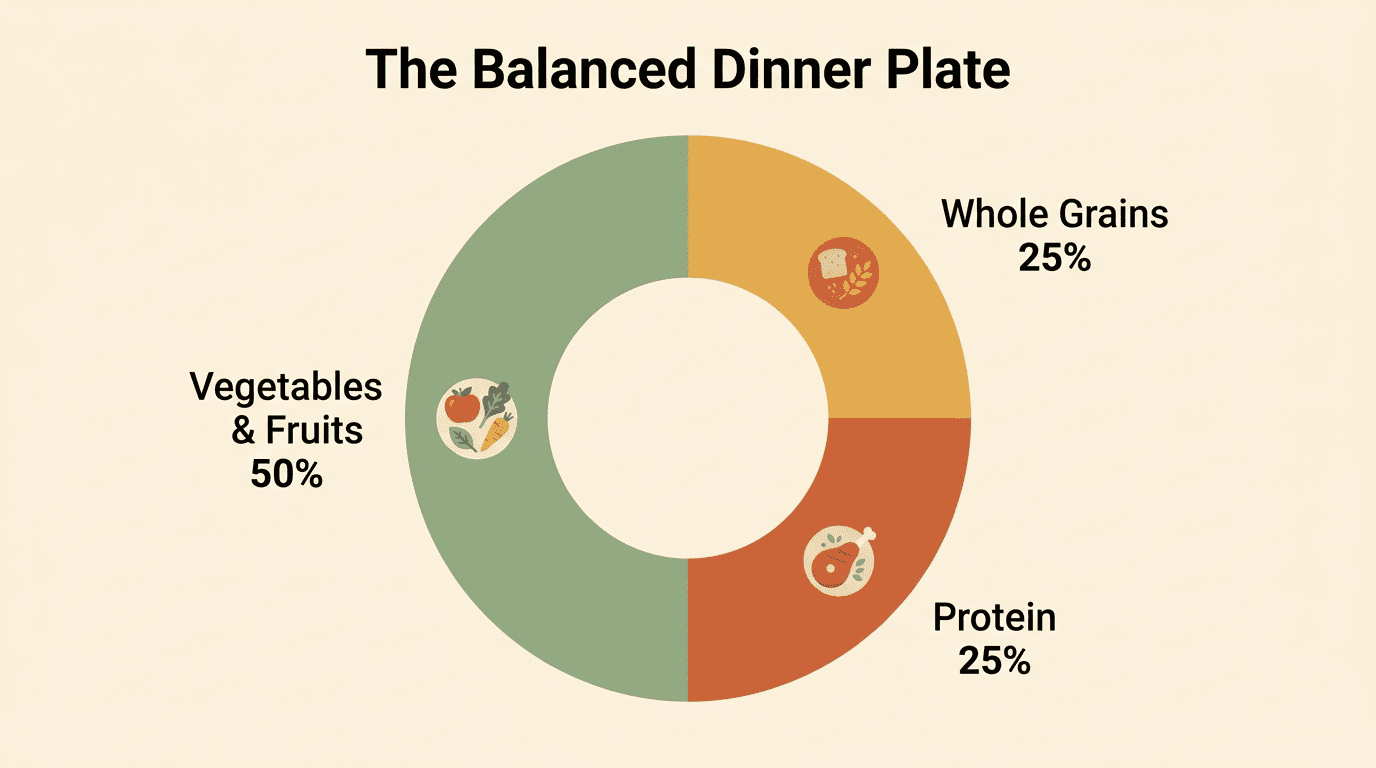
A well-built weekly plan doesn’t just hit a calorie number — it keeps each dinner plate proportioned. Harvard’s Healthy Eating Plate model puts it plainly:
Make most of your meal vegetables and fruits — ½ of your plate. Go for whole grains — ¼ of your plate. Protein power — ¼ of your plate.
Harvard T.H. Chan School of Public Health, The Nutrition Source
USDA’s MyPlate offers a similar, simpler visual for portioning — useful as a sanity check even without counting anything. In practice, that means telling the AI something like “balance each dinner: half vegetables, a quarter protein, a quarter whole grains” and letting it apply that ratio across the week instead of eyeballing it meal by meal.
Plan a week of meals on a budget
Grocery costs are one of the biggest reasons people plan meals at all, and an AI meal planner can be told a hard budget number up front rather than tallying prices after the fact.
| Budget lever | What the AI does |
|---|---|
| Weekly dollar target | Prioritizes lower-cost proteins and seasonal produce to hit the number |
| Ingredient reuse | Repeats staples across recipes to avoid one-off purchases |
| Pantry items on hand | Skips buying what you already own |
| Portion accuracy | Avoids over-buying by scaling quantities to household size |
Set a number and let AI hit it
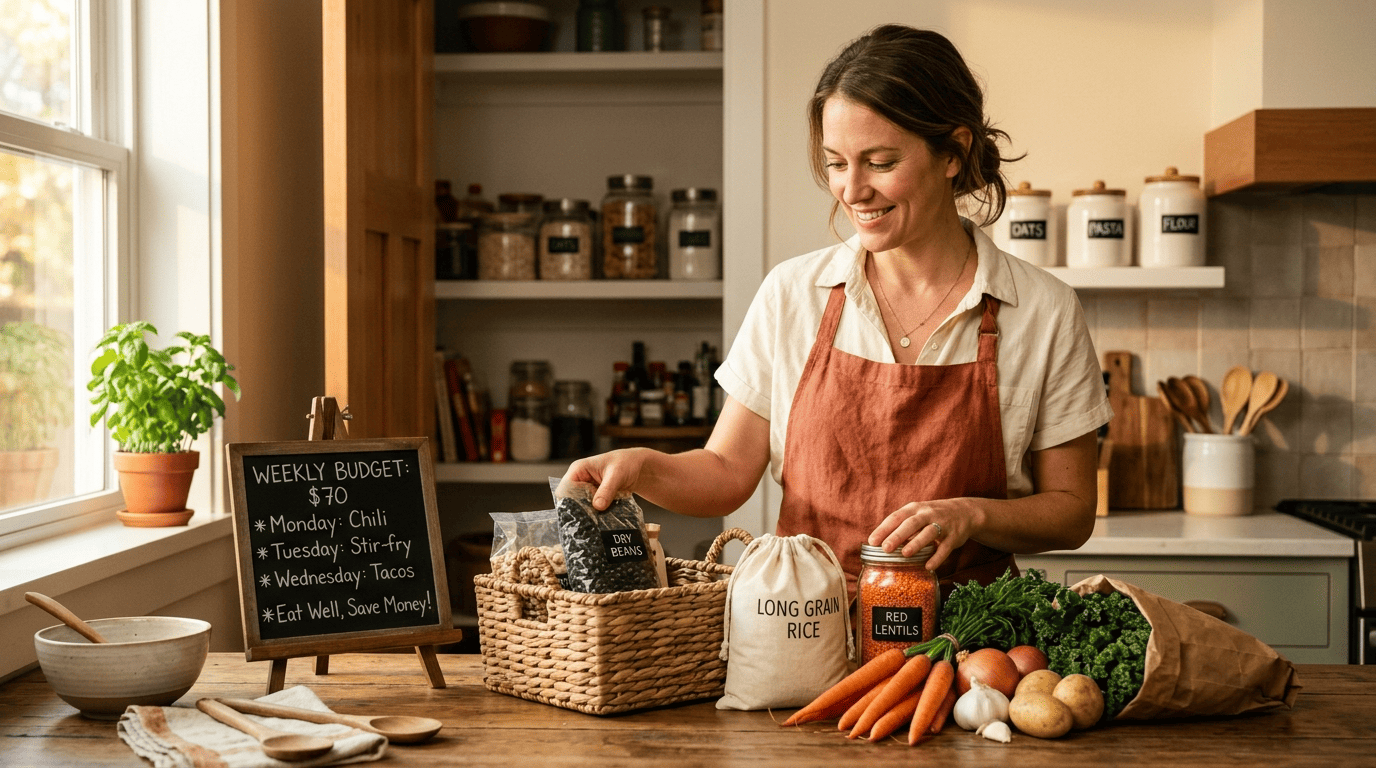
Giving the AI a weekly grocery budget lets it lean on inexpensive proteins, in-season produce, and ingredients that show up in more than one recipe that week. Shopping with a plan and a list — instead of improvising in the aisles — is a well-documented way to spend meaningfully less than impulse shopping does. As a reference point, the USDA Thrifty Food Plan estimates a family of four spends around $992 a month on groceries at the low-cost end.
Waste less, save more
Food that gets thrown out is money down the drain — the average American wastes about $728 worth of food a year, and estimates suggest 30-40% of the food supply in the US goes uneaten. An AI-built plan that uses your pantry first and stacks cook-once-eat-twice meals directly cuts into that number, because ingredients get used up on purpose instead of drifting to the back of the fridge.
Meal prep: cook once, eat twice
A good weekly plan doesn’t just list seven separate dinners — it looks for chances to cook one thing that becomes two meals.
Batch smart with AI
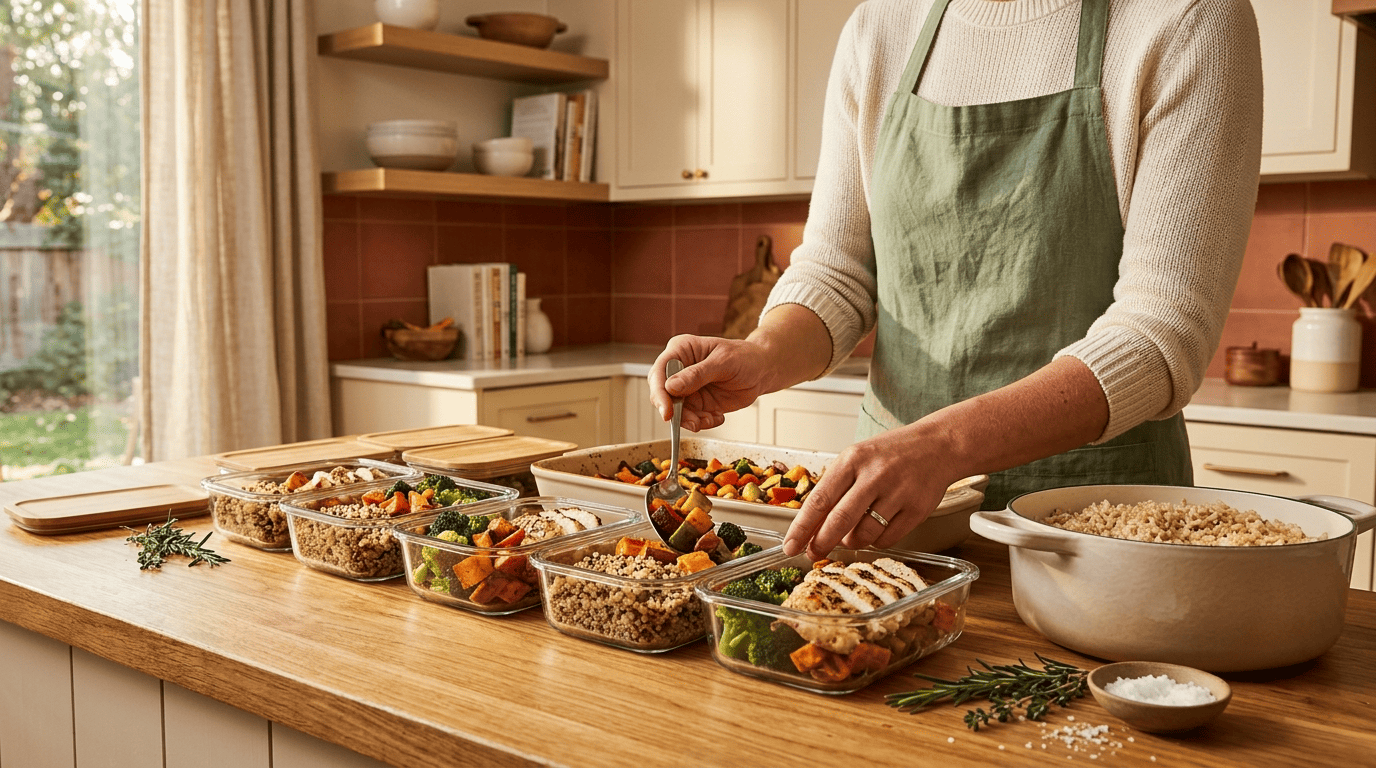
Asking the AI to plan a “Sunday prep” session gets you shared bases — rice, roasted vegetables, a batch of protein — that get reused across several meals during the week. The planner can flag which dinners share a base ingredient so a couple of hours of prep on Sunday covers most of the heavy lifting for the week ahead.
Store leftovers safely
Food safety doesn’t have to be complicated. Cook meat, poultry, and seafood to a safe minimum internal temperature, refrigerate leftovers within 2 hours of cooking, and eat them within 3-4 days. FoodSafety.gov keeps an up-to-date chart of safe temperatures by food type, which is worth a quick check the first few times you’re batch-cooking something new.
Repeat, remix, and keep it fresh week to week
Most people already lean toward repetition without meaning to — surveys consistently find that most households cycle through a small, fixed rotation of dinners week after week, even as many of the same people say they’d like more variety.
Save winners, rotate the rest
Save the meals that actually get eaten as a template for future weeks, but ask the AI to rotate 2-3 dinners with something new each time. That keeps the comfort of familiar go-to meals while still working in enough variety that dinner doesn’t start to feel like a rerun.